

Appearance
Configuration reference
For merchants
Where: Extensions → My extensions, click ⋯ next to African Commerce Core, choose Configure. Click Save at the top right after changing anything.
Stored as: KmhAfricaCommerceCoreSW.config.<key> in Shopware's system configuration.
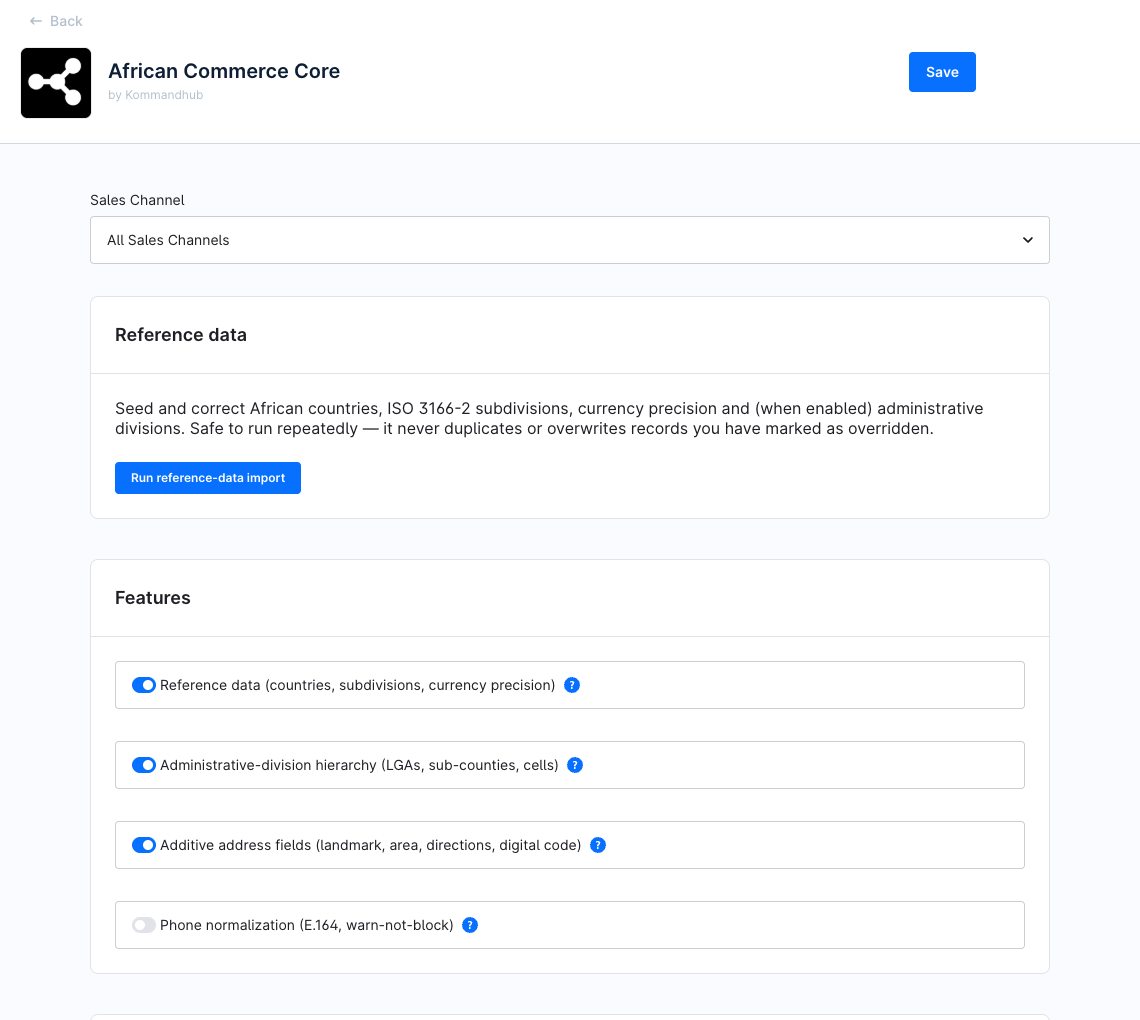
Settings per sales channel
The Sales Channel drop-down at the top decides which storefront the values apply to. All Sales Channels applies everywhere; choose one storefront to override a value for it only — untouched fields inherit. Not every setting honours a per-storefront value: the table in each section says which do, and Country rules & sales channels explains why.
Which settings do I need?
None, to start: Reference data is on by default — just click Run reference-data import. Switch on the other features only if you want them in your storefront.
Reference data
This card holds the Run reference-data import button. It is not a setting and stores nothing. Clicking it runs the same import as bin/console africa:reference:import and shows a result table — see Reference data. The button needs the Reference data switch below to be on; otherwise the message Reference data is disabled in the Features card appears.
Running it needs permission to manage extensions (system.plugin_maintain); Administrator users have it.
Features
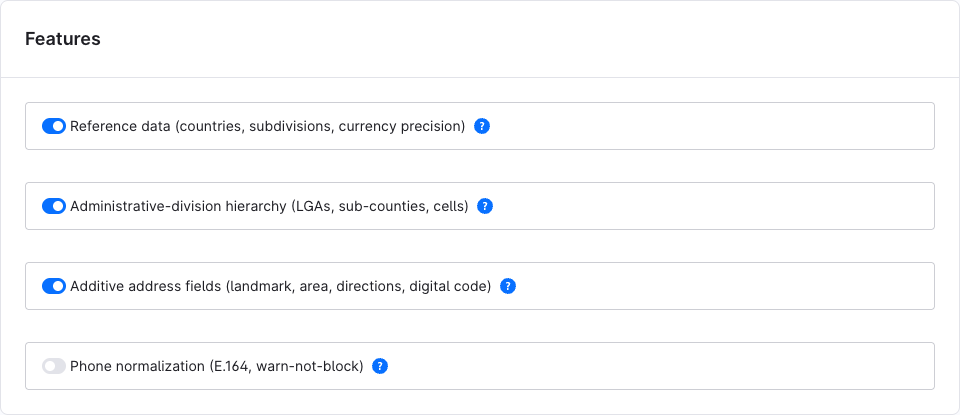
| Setting | Key | Type | Default | Description |
|---|---|---|---|---|
| Reference data (countries, subdivisions, currency precision) | referenceDataEnabled | Toggle | On | Allows the import (button and africa:reference:import). Off: the button shows an error and the command prints Reference data feature is disabled and imports nothing. Only the All Sales Channels value counts. |
| Administrative-division hierarchy (LGAs, sub-counties, cells) | administrativeHierarchyEnabled | Toggle | Off | For the import (All Sales Channels value only): the shipped local divisions are added or updated. Off: the divisions row stays at 0 and existing divisions are left alone. Per storefront: shows the Local division drop-down in address forms (only together with Additive address fields) and enables the division endpoints. |
| Additive address fields (landmark, area, directions, digital code) | addressExtensionsEnabled | Toggle | Off | Per storefront. Adds Nearest landmark, Area / neighbourhood, Digital address code and Directions to the registration and address forms, and saves them with the address. Off: fields hidden and nothing saved; values already saved are kept. See Address fields. |
| Phone normalization (E.164, warn-not-block) | phoneNormalizationEnabled | Toggle | Off | Per storefront. When the customer leaves the phone field, shows the number in international format or a warning. Never blocks submission and does not change the saved number. Also enables POST /store-api/kmh-af/phone/normalize. See Phone check. |
Country rules
| Setting | Key | Type | Default | Description |
|---|---|---|---|---|
| Administrative-division depth (global default) | divisionDepth | Number (0 or more) | empty (= 0) | How many tiers of local divisions are expected below the state. Read by the plugin's address validator, which suggests picking a division when the depth is above 0 and none was chosen. In 0.1.0 nothing in the plugin calls that validator, so this setting has no visible effect in the storefront — it is for developers who use the validator (see Developer docs). |
A per-country value has no field on this page. Set it on the command line, for example for Nigeria:
bash
bin/console system:config:set KmhAfricaCommerceCoreSW.country.NG.divisionDepth 2How global, per-country and per-storefront values combine: Country rules & sales channels.
Logging
| Setting | Key | Type | Default | Description |
|---|---|---|---|---|
| Enable debug logging | enableDebugging | Toggle | Off | Also write debug, info, notice and warning entries to var/log/kommandhub_africacommercecore_<env>.log (rotating, 7 files). Errors are always written. Per storefront. |
| Log levels | logLevels | Multi-select (Debug, Info, Notice, Warning) | empty (= all) | Restrict debug logging to these levels. Per storefront. |
Logging in 0.1.0
The logging switches work, but version 0.1.0 writes no log entries of its own, so the log file stays empty whatever you choose. Import results are shown on screen instead.
Settings elsewhere
| What | Where |
|---|---|
| Which countries a storefront offers | Sales Channels → your storefront → General → Countries |
| Country names, postal-code and state settings, address format | Settings → Shop → Countries |
| Exchange rate and rounding of a currency | Settings → Shop → Currencies |
| Phone field in registration and addresses | Settings → Log-in & sign-up — Show phone number |
| Protect a country or currency from the import | its Custom fields card → Merchant override (do not auto-import) — see Reference data |