

Appearance
Base Theme
A modern, neutral-monochrome storefront theme for Shopware 6.7 — design tokens, dark mode, accessible navigation and a refined checkout, ready to use as is or as the foundation for your own theme.
Install · Configure · Dark mode · What changes in the storefront · Troubleshoot · Developer docs
| Version | 1.0.0 · Stable |
|---|---|
| Shopware | 6.7 |
| PHP | 8.2+ |
| Plugin name | KmhBaseTheme |
| Composer package | kommandhub/base-theme-sw |
| Licence | Apache-2.0 |
| Get it | Packagist (Composer) or ZIP upload |
What does it do?
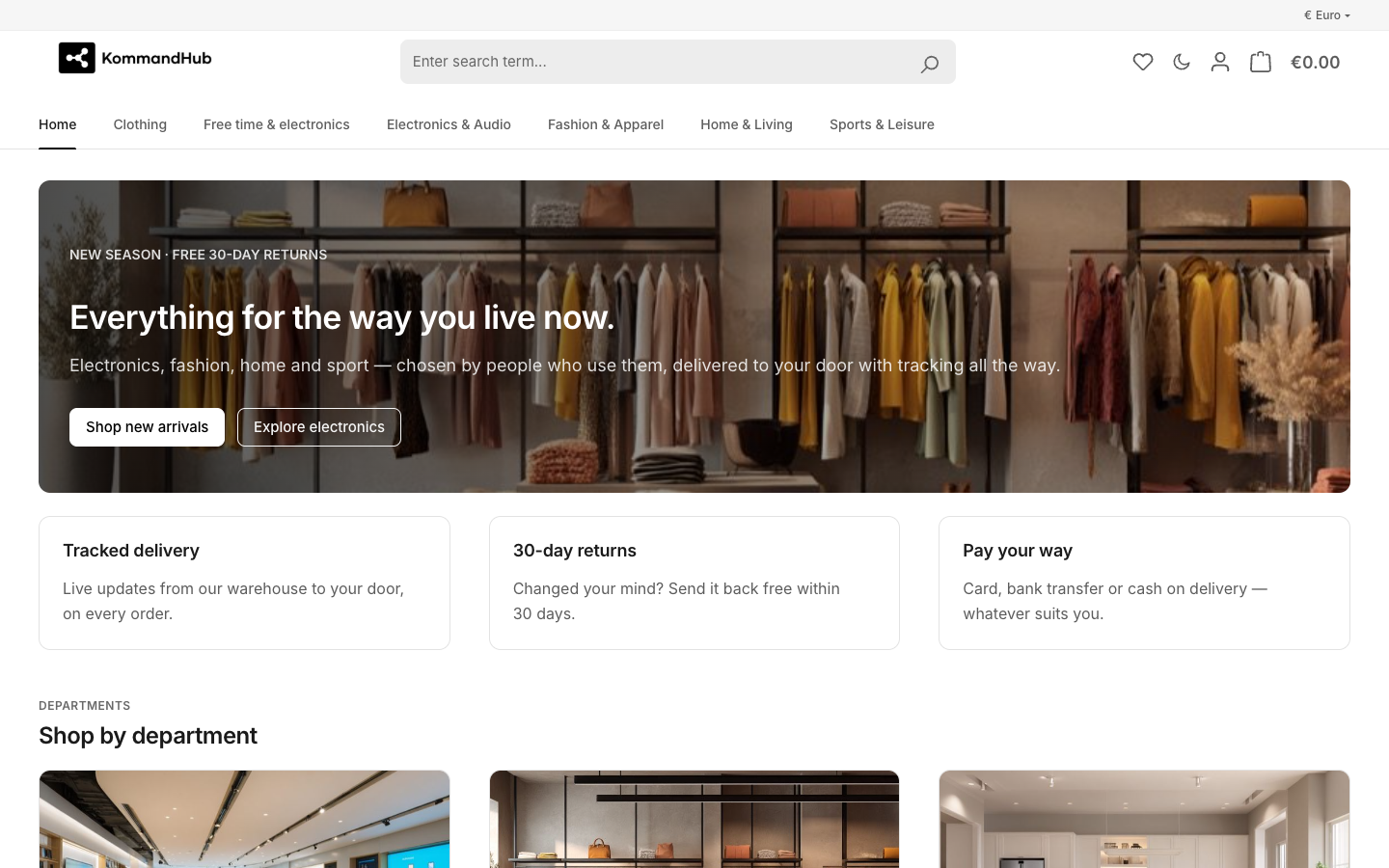
Base Theme replaces the look of Shopware's default storefront. The interface is black, white and greys: hierarchy comes from tone, typography, spacing and hairline borders. Colour is reserved for meaning — success, info, warning and error messages, and rating stars — so the few coloured things on the page carry information.
It styles the whole storefront in light and dark mode, on desktop and phone: header and navigation, listings, product pages, cart and checkout, the customer account, and every core Shopping Experiences block.
Who it is for: shops that want a calm, contemporary storefront without commissioning a theme from scratch, and agencies that want a tested starting point for a customer theme.
How it fits into Shopware: it is a regular Shopware theme, installed as a plugin and assigned to a sales channel. Its settings live in the Administration's theme manager. It inherits all of Shopware's storefront templates and only changes a handful of them, so other plugins keep working.
Key features
- Monochrome design system — one set of design tokens for colour, type, spacing, radius, shadows and motion.
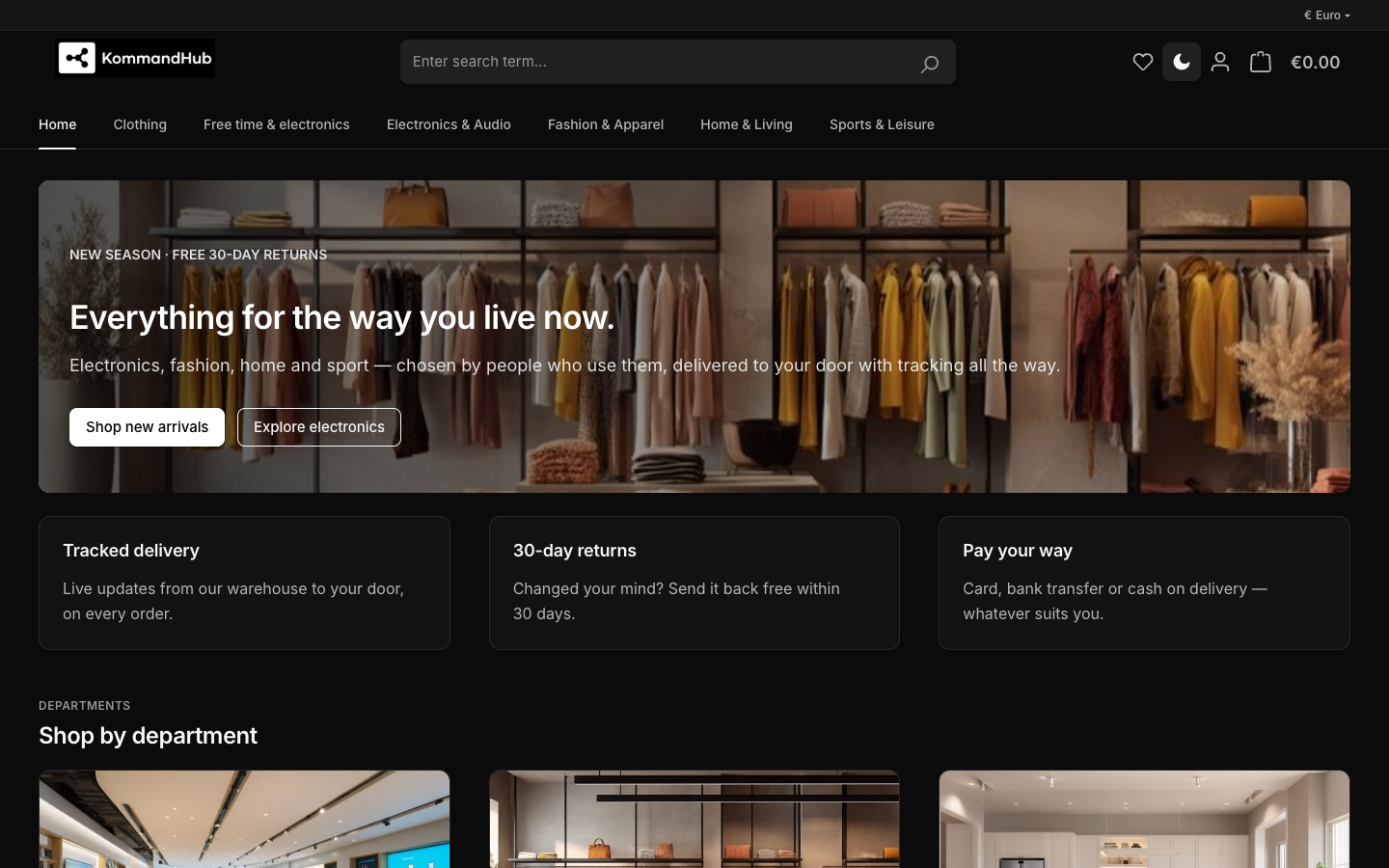
- Dark mode — a moon button in the header switches every page to dark; the visitor's choice is remembered and applied before the page paints, without a flash.
- Theme settings for layout and components: container width, sticky header, top bar, breadcrumb, navigation style, footer columns, corner radius, button and card style, product image ratio, product-grid columns per device.
- Accessible by default — WCAG AA text contrast in both colour schemes, a visible focus ring for keyboard users, breadcrumbs that mark the current page for screen readers, and reduced motion when the visitor asks for it.
- Refined checkout and account — cart, confirm and finish pages, order history with coloured status chips, and the Shopware 6.7 address manager.
- Shopping Experiences — every core CMS block styled; three opt-in CSS classes for panels, cards and centred text.
- Kommandhub plugin skins — Click and Pick, Paystack, Flutterwave and SMS match the theme automatically when installed. The theme depends on none of them.
- No external fonts — uses the Inter font Shopware already hosts, so nothing is loaded from Google.
Requirements
| Shopware | 6.7 |
| PHP | 8.2 or newer |
| Access | Composer on the server, or a ZIP upload under Extensions → My extensions |
Quick start
composer require kommandhub/base-theme-sw, then install and activateKmhBaseTheme— Installation.- Assign the theme to your storefront: Sales Channels → (your storefront) → Theme — Assign the theme.
- Upload your logo and pick the layout options under Content → Themes → KmhBaseTheme — Theme configuration.
- Open your storefront and click the moon button in the header to check dark mode — Dark mode.
Important limitations
- Shopware 6.7 only.
- The standard Shopware colour fields Primary, Secondary, Border, Background, Text, Headline, Price, Buy button and Buy button text are shown in the settings but have little or no visible effect: the theme's monochrome palette is fixed. To change the palette, use a child theme. See Theme configuration → Colours.
- Dark mode starts in light mode for every new visitor; it does not follow the operating system's dark-mode setting.
All known issues: Troubleshooting → Known issues.
Documentation
For shop owners and administrators
- Installation — install, assign to a sales channel, compile, update, uninstall
- Theme configuration — every setting in the theme manager
- Dark mode · What changes in the storefront · Shopping Experiences
- Troubleshooting · FAQ
For developers
- Architecture & tokens — file structure, style load order, tokens, template blocks, tests
- Customising with a child theme
- Changelog
Shopware resources
- Themes · Sales channels · Shopping Experiences
- Developers: Theme configuration · Theme inheritance
Support
Bugs and feature requests: GitHub issues · questions: GitHub Discussions · commercial support and custom development: kommandhub.com/support.