

Appearance
Configuration reference
For merchants
Where: Extensions → My extensions → Shipbubble → Configure Stored as: KmhShipbubbleSW.config.<key> in Shopware's system configuration Scope: every setting can be set per sales channel. Use the Sales Channel selector at the top; a field left untouched inherits the All Sales Channels value.
Before you start you need a Shipbubble account (app.shipbubble.com) with API keys — Settings → API keys & webhooks in the Shipbubble dashboard; the sandbox key starts with sb_sandbox_, the live key with sb_prod_.
The buttons on this page (Test connection, Validate sender address) and the courier and package lists use the saved settings. Click Save first whenever you change a key or the sender.
Shipbubble account
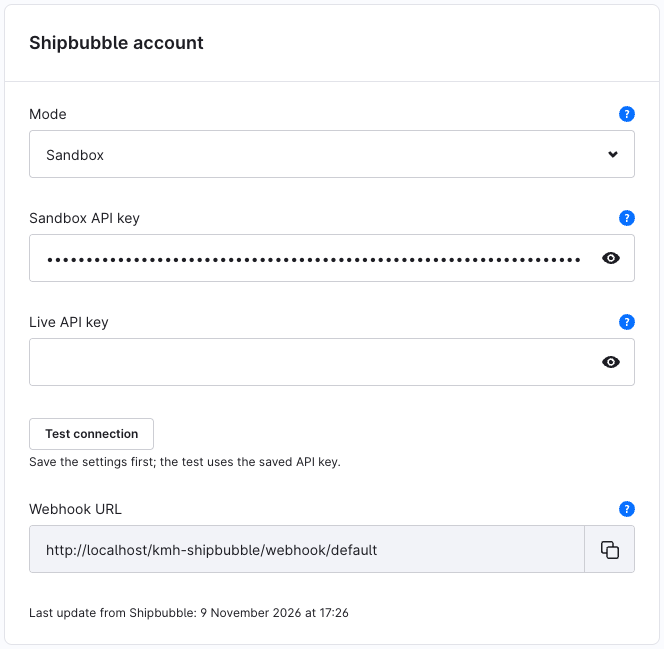
| Setting | Key | Type | Default | Description |
|---|---|---|---|---|
| Mode | mode | Select | Sandbox | Sandbox uses your test key; no real shipments are booked. Switch to Live only after testing. |
| Sandbox API key | sandboxApiKey | Password | — | Starts with sb_sandbox_. Used in sandbox mode. |
| Live API key | liveApiKey | Password | — | Starts with sb_prod_. Shipments booked in live mode are paid from your Shipbubble wallet. |
The keys are masked; the plugin never writes them to its log.
Test connection
Save, then click Test connection. It calls Shipbubble with the saved key of the active mode and shows:
- Success — "Connected to Shipbubble. Wallet balance: 955682.38 NGN": the key works and you can see what's in your wallet;
- an error notice with Shipbubble's own message, for example when the key is wrong or belongs to the other mode.
The test changes nothing.
Webhook URL
Under the button the page shows the URL Shipbubble must send status updates to:
text
https://<your-shop-domain>/kmh-shipbubble/webhook/defaultOn All Sales Channels the URL ends in /default and webhooks are checked against the keys saved there; with a sales channel selected the URL ends in that channel's ID, uses its domain and is checked against that channel's keys. If all sales channels share one Shipbubble account, the /default URL is all you need. Click the copy icon and paste the URL into the Shipbubble dashboard (Settings → API keys & webhooks) as Test webhook url and Live webhook url.
- Webhooks are verified with your API key (HMAC-SHA512 signature), so there is no extra webhook secret to enter.
- Last update from Shipbubble shows when the last webhook arrived, or "No update from Shipbubble received yet."
- "Add a storefront domain to this sales channel first." means the selected sales channel has no domain to build the URL from.
Webhooks are processed by Shopware's message queue — a worker must be running. See Troubleshooting → Status doesn't change.
Sender (pickup address)
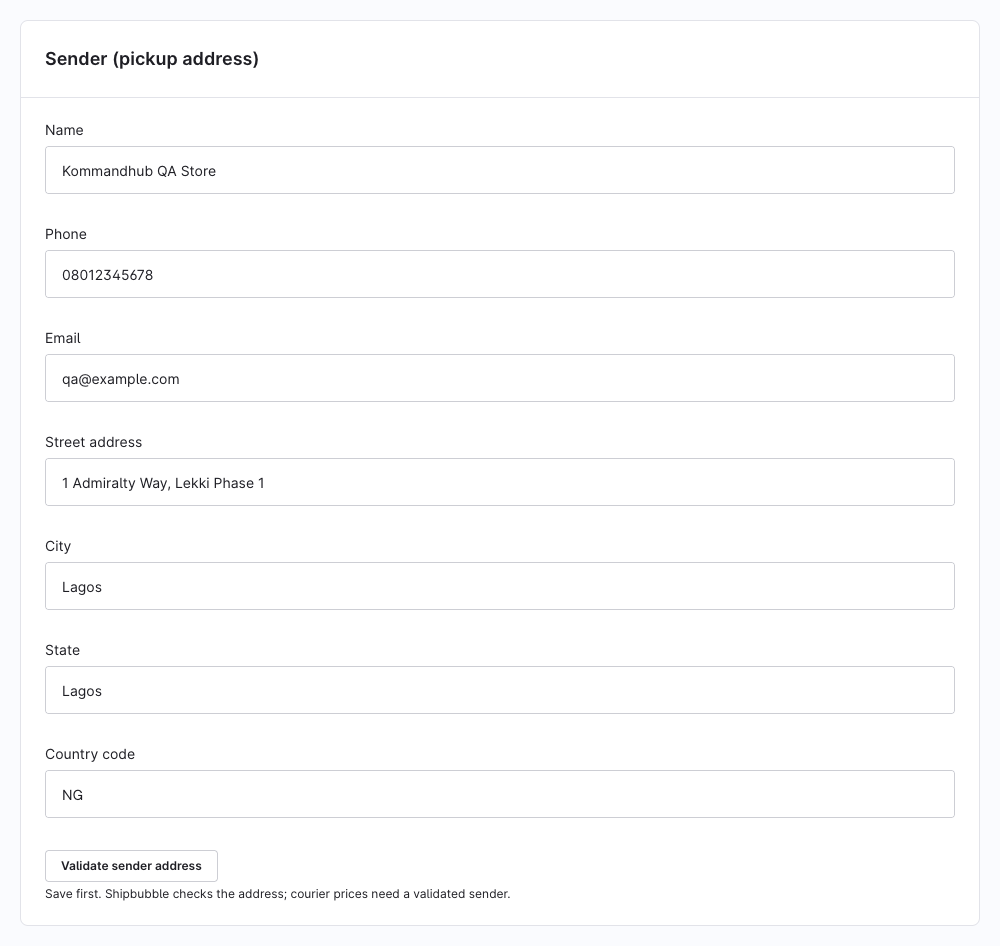
Where couriers collect parcels. One pickup address per sales channel.
| Setting | Key | Type | Default | Description |
|---|---|---|---|---|
| Name | senderName | Text | — | Your shop or contact name, as couriers will see it. |
| Phone | senderPhone | Text | — | A number the courier can call at pickup. |
senderEmail | Text | — | ||
| Street address | senderAddress | Text | — | Street and number, as precise as possible. |
| City | senderCity | Text | — | |
| State | senderState | Text | — | |
| Country code | senderCountry | Text | NG | Two-letter ISO code. |
Validate sender address
Save, then click Validate sender address. Shipbubble checks the address and returns an address code; the page confirms "Sender address validated: …". Courier prices need a validated sender — until then the method is unavailable at checkout and you get an admin notification.
The address code is stored separately for sandbox and live, so validate again after switching to live, and after every change to the sender.
Couriers and packages
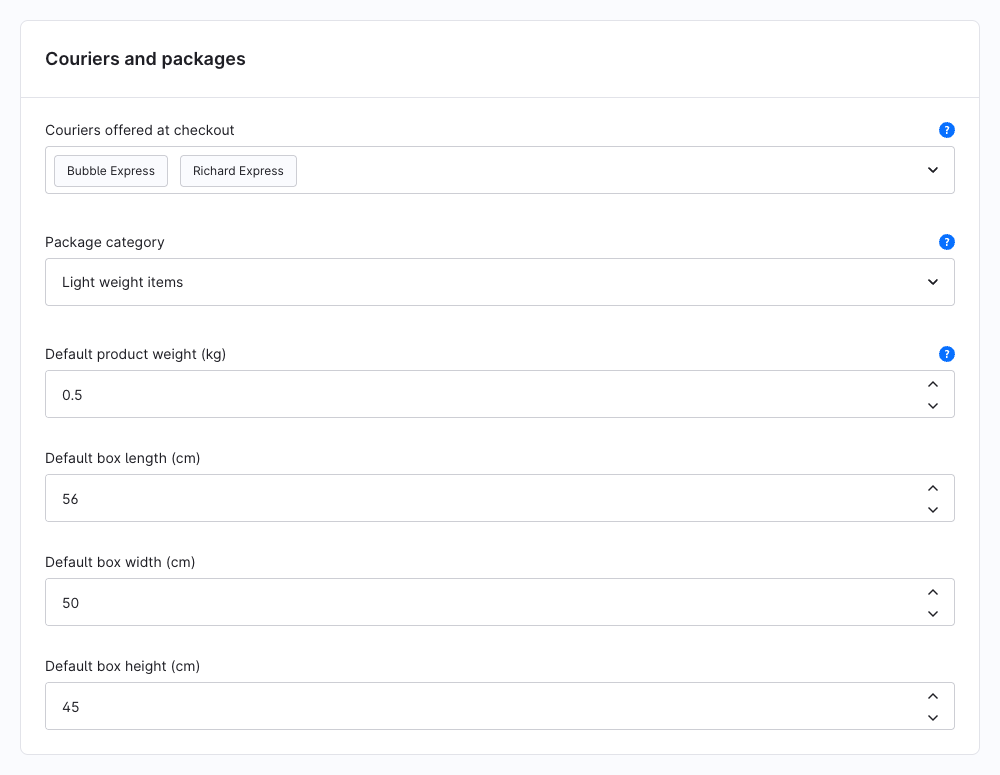
| Setting | Key | Type | Default | Description |
|---|---|---|---|---|
| Couriers offered at checkout | enabledCouriers | Multi-select | empty | The couriers customers can choose. Empty = every courier Shipbubble quotes. The list is loaded from your Shipbubble account. |
| Package category | packageCategoryId | Select | — | What your shop usually sends. Couriers price and accept parcels by category. Loaded from your Shipbubble account. |
| Default product weight (kg) | defaultProductWeight | Number | 0.5 | Used for products without a weight. Minimum 0.01. |
| Default box length (cm) | defaultLength | Number | 56 | The box used when no standard Shipbubble box carries the parcel's weight. |
| Default box width (cm) | defaultWidth | Number | 50 | |
| Default box height (cm) | defaultHeight | Number | 45 |
The two lists only fill once a working key is saved.
How the parcel is built: the weights of the cart's products (in kg, times quantity) are added up; products without a weight count with the default product weight. The parcel uses the first standard Shipbubble box that carries that weight, otherwise your default box. Product dimensions are not used.
Weight warning: if active products have no weight, the card shows "Active products without a weight: 12. Checkout uses the default product weight for them, so courier prices may be off." with a Show products link. Add weights under Catalogues → Products → (product) → Specifications.
Checkout price
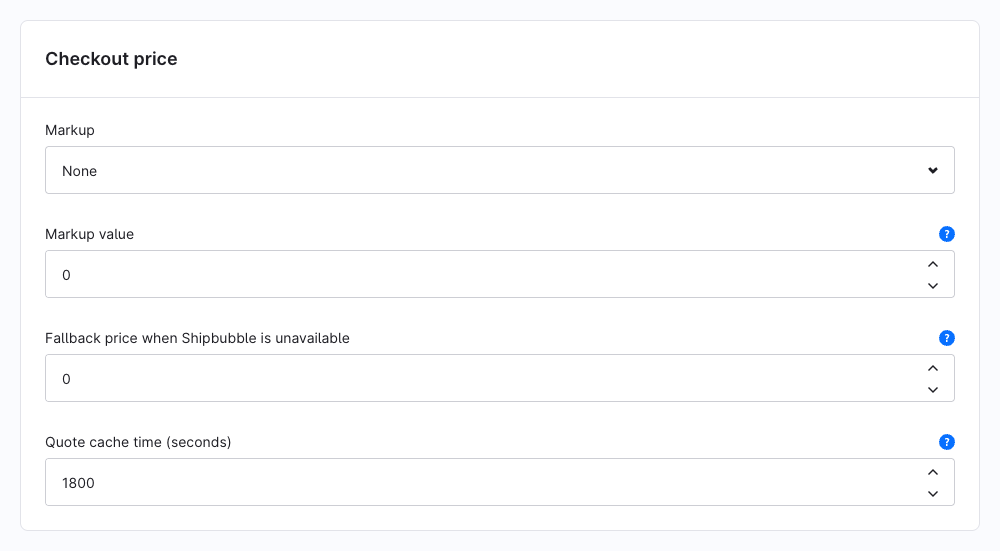
| Setting | Key | Type | Default | Description |
|---|---|---|---|---|
| Markup | markupType | Select | None | None, Fixed amount or Percentage. |
| Markup value | markupValue | Number | 0 | Added to the courier price shown at checkout: an amount in the sales channel currency, or a percentage. |
| Fallback price when Shipbubble is unavailable | fallbackPrice | Number | 0 | 0 = no fallback: customers choose another delivery method. Above 0: this price is charged when Shipbubble can't be reached, and you book the courier from the order later. |
| Quote cache time (seconds) | quoteCacheTtl | Number | 1800 | How long a courier quote is reused for an unchanged cart and address. Minimum 60. |
The customer pays the courier's Shipbubble price plus your markup. Shipbubble charges your wallet the courier's price when the shipment is booked; the plugin never collects or relays delivery fees.
Fallback price: only used when Shipbubble can't be reached (a network error or timeout) — not when an address is wrong or no courier delivers there. An order placed at the fallback price has no courier quote yet; the Shipbubble card shows Needs a new price, and Create shipment asks you to confirm the real price first (re-quote).
Logging
| Setting | Key | Type | Default | Description |
|---|---|---|---|---|
| Enable debug logging | enableDebugging | Toggle | Off | Writes debug, info and warning entries to var/log/kmh_shipbubble_<env>.log. |
| Log levels | logLevels | Multi-select | all | Restrict debug logging to these levels. Empty logs every level once debug logging is on. |
Errors are always logged. API keys are never logged. See Troubleshooting → Logs.
Requirements on your shop
Settings elsewhere in Shopware that courier delivery depends on:
- Currency NGN on the sales channel. Shipbubble quotes in naira; in another currency the method shows "not available in this currency". Set up NGN under Settings → Shop → Currencies and assign it to the sales channel (Shopware: Currencies).
- Customer phone number in the shipping address — couriers need it. Turn on the phone field under Settings → Shop → Login & sign-up; without a phone the method asks the customer to complete the address.
- Product weights in kg — see the weight warning above.
- A message queue worker —
bin/console messenger:consume, as Shopware recommends for production. Webhooks and the daily clean-up of old webhook events run in the background.
Example: set values from the command line
bash
bin/console system:config:set KmhShipbubbleSW.config.mode live
bin/console system:config:set KmhShipbubbleSW.config.markupType percent
bin/console system:config:set KmhShipbubbleSW.config.markupValue 10
Add --salesChannelId=<id> to set a value for one sales channel only. Enter API keys yourself on the configuration page rather than in your shell history, and validate the sender on the page afterwards — the address code is only stored by Validate sender address.