

Appearance
Checkout with Instant Delivery
For merchants
What your customers see, and how the delivery cost is worked out.
What the customer does
- Adds products to the cart and goes to checkout.
- Enters (or keeps) a shipping address with street and city.
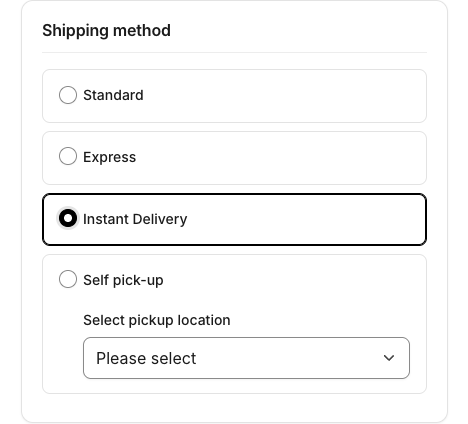
- Chooses Instant Delivery as shipping method.
- Sees the delivery cost in the order summary and places the order.
The cost is recalculated with every cart calculation — when items, quantities, the address, the storefront or the currency change. Switching to another shipping method leaves that method's cost exactly as Shopware calculates it.
How the cost is calculated
text
shipping address ─► find the address on the map (street level)  ─┐
fulfilment location ─────────────────────────────────────────────┴─► driving distance (km)
cart ─► weight · volumetric weight · chargeable weight · longest edge · item count · order value
                     │
                     ▼
first active price rule (highest priority) whose conditions all hold   ─► base price
                     │
                     ▼
+ every matching surcharge, in priority order                          ─► delivery cost
                     │
                     ▼
taxed like any shipping method ─► shipping costs in checkout- Distance and map lookups: Distance & map providers.
- Rules and the measured values: Price rules.
- Surcharges: Surcharges.
The breakdown (base price, each surcharge, total, currency) is saved with the order when it is placed and shown in the Administration — see The delivery price breakdown.
When Instant Delivery can't be priced
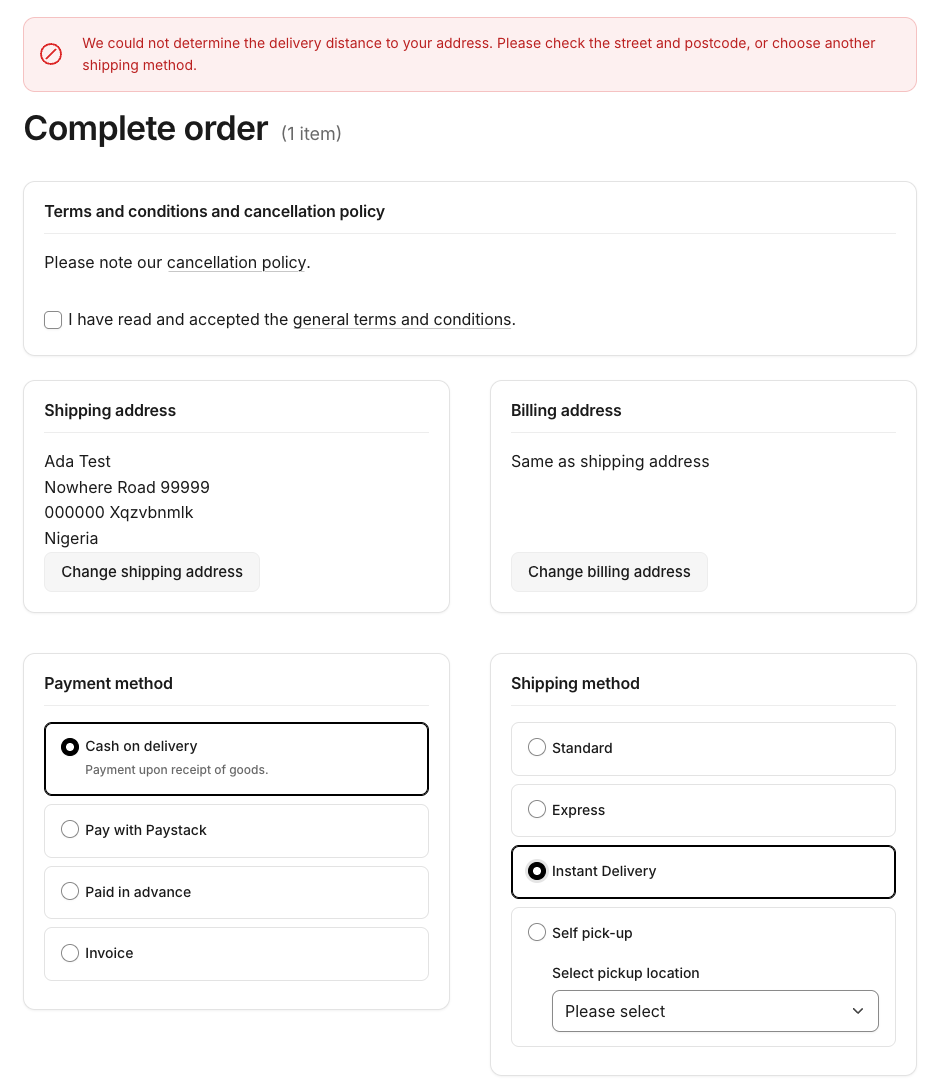
The plugin never charges a guessed or zero cost. If it can't price the delivery it adds an error to the cart that blocks the order, and the customer has to fix the address or choose another shipping method:
| The customer sees | Why |
|---|---|
| Please enter a complete delivery address (street and city) to use Instant Delivery. | Street or city of the shipping address is empty. |
| We could not determine the delivery distance to your address. Please check the street and postcode, or choose another shipping method. | No fulfilment location configured, the map provider is unknown or failing (e.g. missing or refused Google key, time-out), or the address was not found at street level. |
| Instant Delivery is not available for your address. Please choose another shipping method. | A distance was found, but no active price rule matches, or the first matching rule has no price for this storefront. |
The texts are part of the plugin's storefront snippets in English, German and French and can be changed in Settings → Shop → Snippets (keys checkout.kmh-lastmiledelivery-instant-invalid_address, …-distance_unavailable, …-no_matching_rule).
Causes and fixes: Troubleshooting.
Orders edited in the Administration
When staff edit a placed order in the Administration — add products, change the address, recalculate — the plugin does not re-price the delivery. The original (or a manually entered) shipping cost is kept, as with any Shopware shipping method. If the shipping cost was changed by hand, the breakdown card says so.
Not included
- No delivery slots or scheduled times — Instant Delivery is on-demand; time-based surcharges use the time the cart is calculated.
- No delivery-area map or radius setting — limit the area with price-rule conditions (e.g. a top distance band and no rule beyond it) or a Rule Builder scope.
- No storefront tracking page — the customer is kept informed by email (see Emails and flows).