

Appearance
Configuration reference
For merchants
Where: Extensions → My extensions, then click Configure next to Last-Mile Delivery. Click Save at the top right after changing anything. Stored as: KmhLastMileDeliverySW.config.<key> in Shopware's system configuration. Scope: per sales channel, with the exceptions noted below.
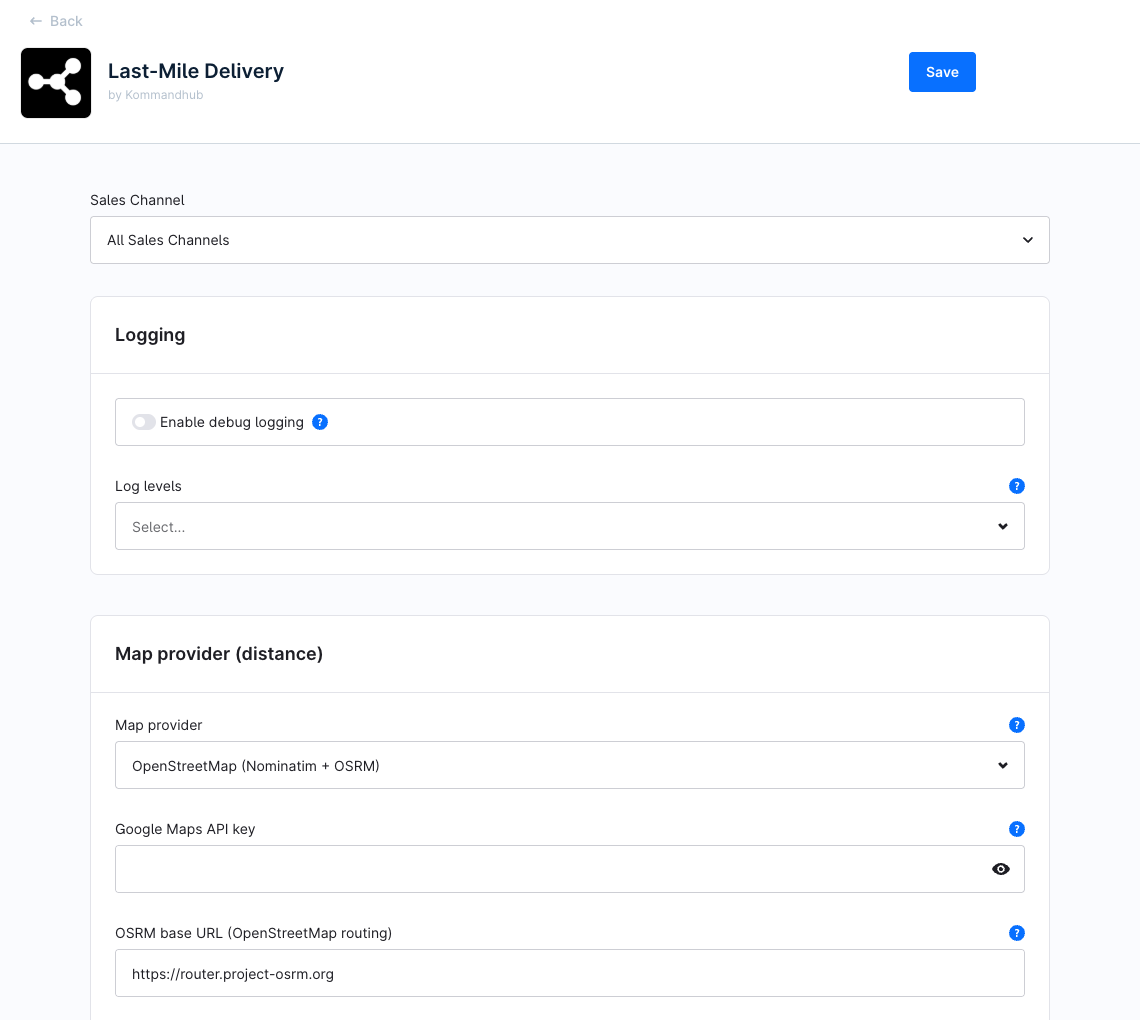
Most of the plugin is configured in its two modules — Delivery price rules and Delivery surcharges. The settings below decide where distances are measured from and how, and how hand-over is verified.
Settings per sales channel
Use the Sales Channel selector at the top of the page to set a value for one storefront only; untouched fields inherit All Sales Channels. Start with All Sales Channels.
Values read from All Sales Channels only
Two places ignore per-storefront values in this version and always use All Sales Channels:
- Enable debug logging and Log levels — the plugin's log entries carry no sales channel.
- The Delivery verification card on the order page reads Enable delivery OTP, Enable proof of delivery image, Set order state to shipped on verification and Automatic shipped verification requirement from All Sales Channels to decide what it shows. The server still applies the storefront's own values when it verifies and ships.
Keep these settings the same for every storefront, or set them under All Sales Channels.
Logging
| Setting | Key | Type | Default | Description |
|---|---|---|---|---|
| Enable debug logging | enableDebugging | Toggle | Off | Also write debug, info, notice and warning entries to var/log/kmh_lastmiledelivery_<env>.log. Errors are always logged. See Troubleshooting → Logs. |
| Log levels | logLevels | Multi-select | empty (all) | Restrict debug logging to these levels: Debug, Info, Notice, Warning. Empty logs every level once debug logging is on. |
Map provider (distance)
| Setting | Key | Type | Default | Description |
|---|---|---|---|---|
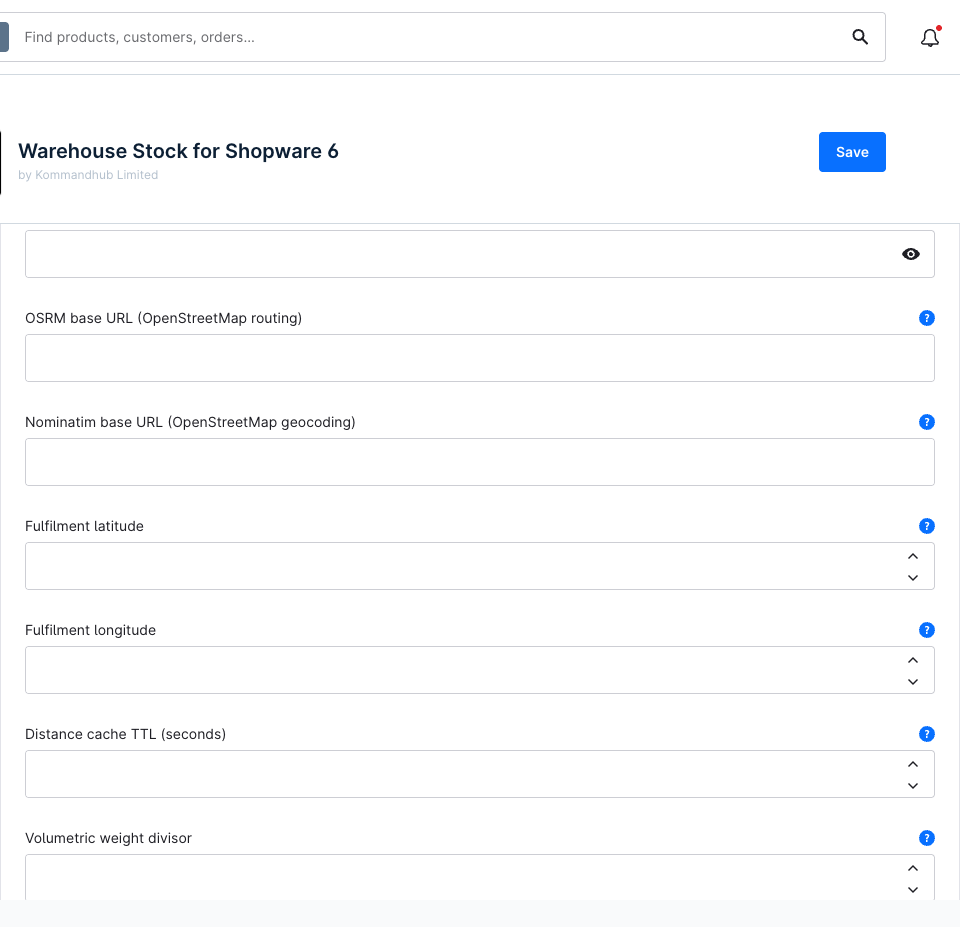
| Map provider | distanceProvider | Select | OpenStreetMap | openstreetmap (Nominatim for the address, OSRM for the route) or google (Geocoding API + Distance Matrix API). An unknown value logs Configured map provider is unknown. and no distance is calculated. |
| Google Maps API key | googleMapsApiKey | Password | — | Required only for Google. The same key is used for Geocoding and Distance Matrix. Empty with Google selected: error Google Maps API key is not configured… in the log and no distance. Where to get it: Distance & map providers → Google Maps. |
| OSRM base URL (OpenStreetMap routing) | osrmBaseUrl | Text | https://router.project-osrm.org | Routing server for OpenStreetMap. Empty falls back to the default. The public demo server forbids heavy or commercial load — point this at your own instance for production. |
| Nominatim base URL (OpenStreetMap geocoding) | nominatimBaseUrl | Text | https://nominatim.openstreetmap.org | Address lookup server for OpenStreetMap. Empty falls back to the default. The public server has a strict usage policy (at most 1 request per second) — self-host for production volume. |
| Fulfilment latitude | originLatitude | Number | — | Required. Latitude (−90 to 90) of the store or warehouse every delivery distance is measured from. |
| Fulfilment longitude | originLongitude | Number | — | Required. Longitude (−180 to 180). Without both values no distance can be calculated and checkout shows We could not determine the delivery distance…. |
| Distance cache TTL (seconds) | distanceCacheTtl | Integer | 2592000 (30 days) | How long a measured distance from your location to an address is reused before the map provider is asked again. Zero, negative or empty → 30 days. Don't go above 30 days with Google — its terms only allow temporary caching. Addresses that can't be found are remembered for 1 hour regardless. |
| Volumetric weight divisor | volumetricDivisor | Number | 5000 | Volumetric kg = length × width × height (cm) ÷ divisor. 5000 is the common air-freight value; 4000 and 6000 are also used. Zero, negative or empty → 5000. |
Finding your coordinates
Open your address in Google Maps or openstreetmap.org, right-click your building and copy the coordinates: the first number is the latitude, the second the longitude. Don't swap them — a longitude above 90 entered as latitude is outside the valid range and makes Instant Delivery checkout fail.
Delivery OTP
| Setting | Key | Type | Default | Description |
|---|---|---|---|---|
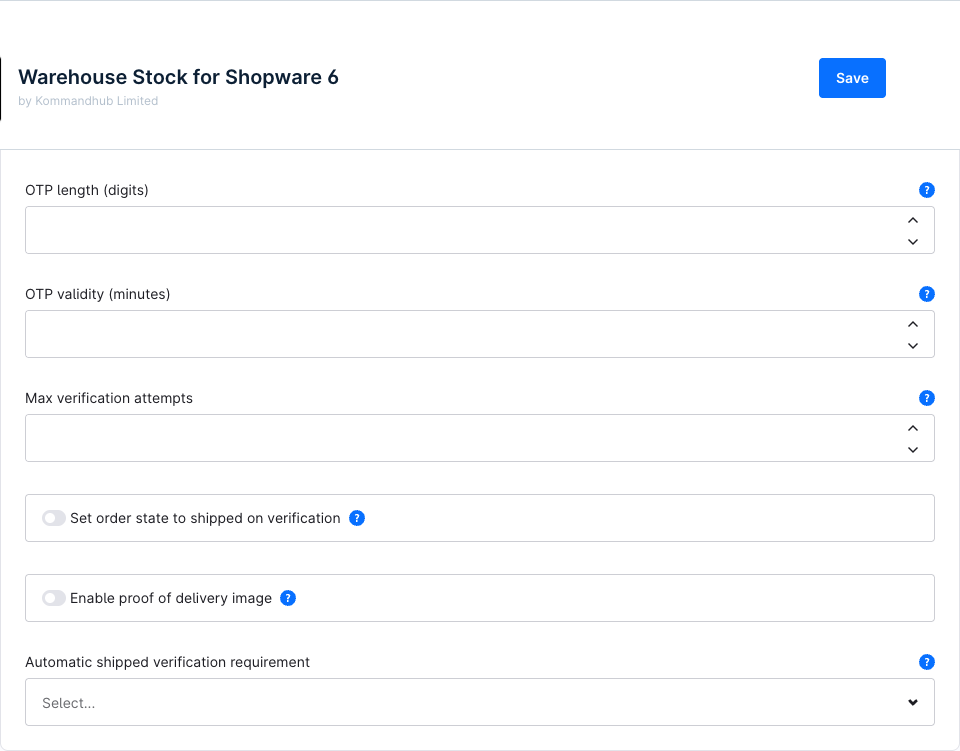
| Enable delivery OTP | otpEnabled | Toggle | On | Generate a one-time delivery code when a delivery is set to In transit. Off: no code is generated and no order on its way email is sent by the default flow. |
| OTP length (digits) | otpLength | Integer | 6 | 4–10 digits, leading zeros allowed. A stored value outside 4–10 falls back to 6 and logs Configured OTP length is out of range; using the default. |
| OTP validity (minutes) | otpTtlMinutes | Integer | 60 | How long a code is valid after it is sent — when the delivery goes in transit, or when the code is resent. The value is not checked; use a positive number. |
| Max verification attempts | otpMaxAttempts | Integer | 5 | Wrong codes allowed before the code locks. 0 = unlimited. Empty or non-numeric entries don't count as attempts. A locked code is replaced with Resend code. |
| Set order state to shipped on verification | setStateShippedOnVerification | Toggle | On | When the required evidence is present, set every delivery of the order that can be shipped to Shipped. Off: the code and photo are recorded, the delivery status is left alone. |
| Enable proof of delivery image | enablePod | Toggle | On | Allow a hand-over photo on the order. Off: photos are refused and any photo requirement below is ignored (treated as OTP only). |
| Automatic shipped verification requirement | verificationRequirement | Select | OTP only | Evidence needed before the delivery is shipped automatically: otp_only, pod_only (Proof of delivery image only), otp_and_pod, otp_or_pod. Only applies while Set order state to shipped on verification is on. An unknown value is treated as OTP only. |
Turning the code off
With Enable delivery OTP off and the requirement still on OTP only, nothing can ever satisfy the requirement and deliveries are never shipped automatically. Switch the requirement to Proof of delivery image only (with Enable proof of delivery image on), or set deliveries to Shipped by hand.
How the evidence is collected: Handle deliveries.
Surcharges
| Setting | Key | Type | Default | Description |
|---|---|---|---|---|
| Fulfilment timezone | fulfillmentTimezone | Text | UTC | IANA time zone (e.g. Africa/Lagos, Europe/Berlin) in which surcharge time periods and their from/until dates are judged — where deliveries are dispatched, not where the server runs. Empty or invalid falls back to UTC silently. See Surcharges → Time periods. |
Settings elsewhere
| What | Where |
|---|---|
| Name, description, delivery time, tax and availability rule of Instant Delivery | Settings → Shop → Shipping (name, active flag, tax type and delivery time are re-applied on every update — see Installation) |
| Delivery prices | Settings → Shop → Delivery price rules — Price rules |
| Surcharges | Settings → Shop → Delivery surcharges — Surcharges |
| Email texts | Settings → Shop → Email templates: Delivery OTP — order on its way, Delivery confirmed |
| Flows | Settings → Flow Builder — Handle deliveries → Emails and flows |
| Product weight and dimensions | Catalogues → Products → product → Specifications / measures & packaging |