

Appearance
Delivery surcharges
For merchants
Where: Settings → Shop → Delivery surcharges. Needs the permission Last-Mile Delivery for Shopware 6 → Manage.
Surcharges are added on top of the base price from the price rules. Unlike rules, surcharges stack: every active surcharge that matches is applied, in priority order. Each applied surcharge appears on the order's price breakdown.
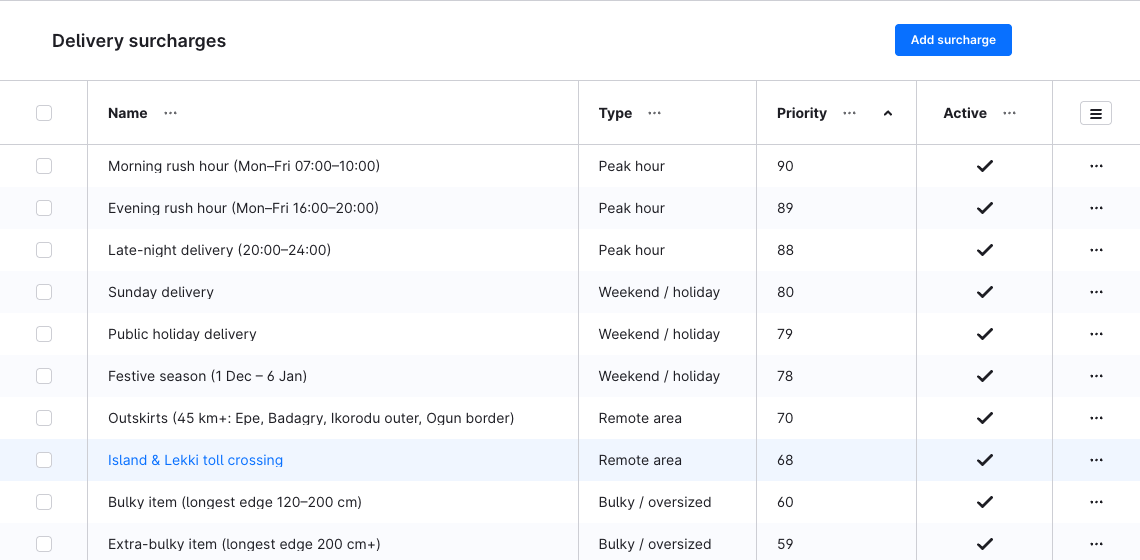
Create a surcharge
- Click Add surcharge. A new surcharge starts as Peak hour, Percentage of the Base price, priority 0, active.
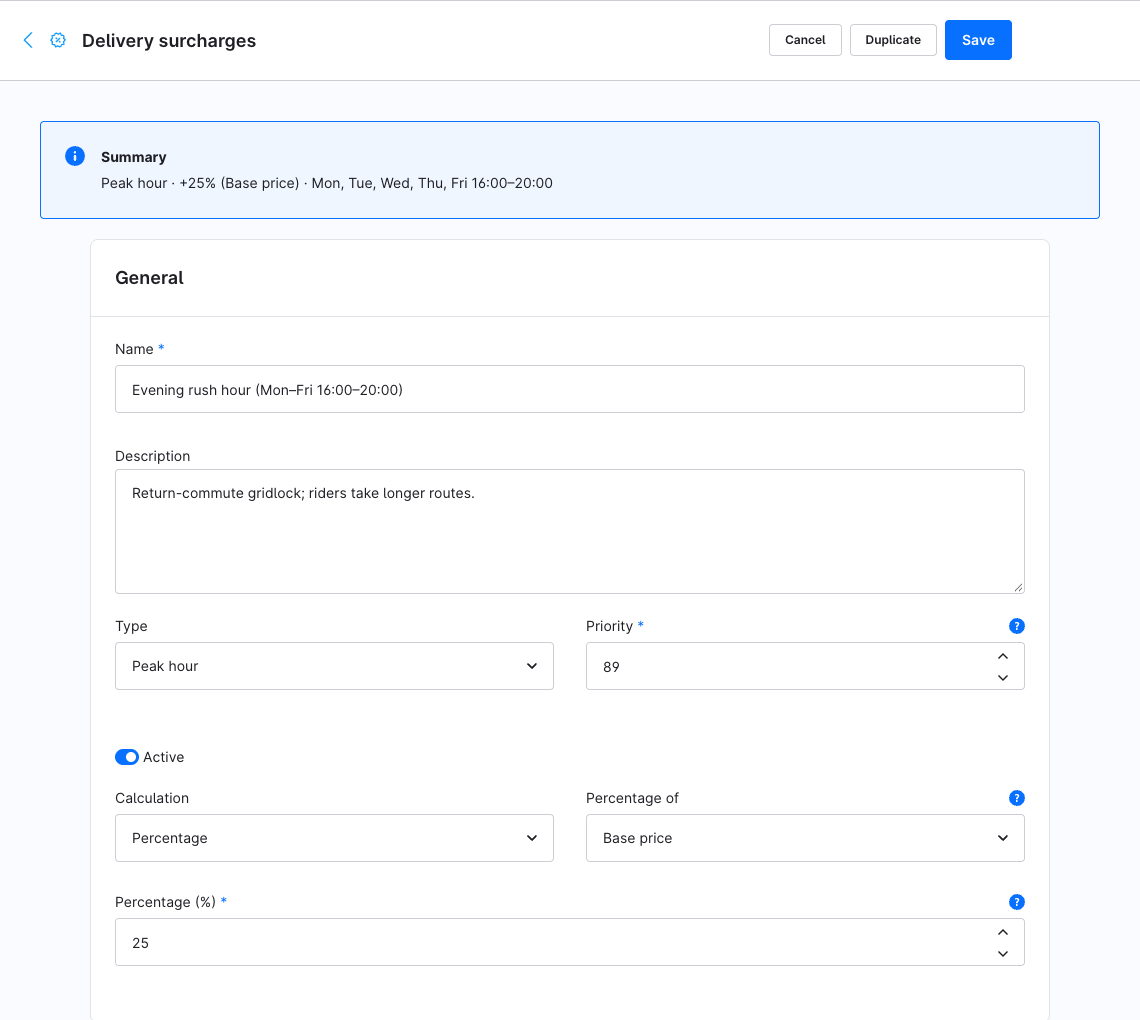
- General card:
- Name (shown on the price breakdown) and Description (internal).
- Type — Peak hour, Weekend / holiday, Remote area, Bulky / oversized, Fuel / energy. The type is a label for the breakdown; it does not change the calculation.
- Priority — surcharges are applied from high to low (equal priorities in a fixed technical order). Priorities don't have to be unique.
- Active.
- Calculation — Fixed amount or Percentage. For a percentage, enter Percentage (%) (greater than 0, e.g.
15for +15 %) and Percentage of: Base price or Running total (compounds).
- Scope & validity card:
- Sales channels (optional) — empty = every storefront.
- Rule Builder scope (optional) — only when this Shopware rule is valid for the cart.
- Valid from / Valid until (optional) — date and time window; outside it the surcharge is ignored.
- Fixed amounts card (fixed amounts only) — a default row and optional rows per sales channel, as for price rules.
- Conditions card (optional) — the same metrics and From (inclusive) / To (exclusive) ranges as price rules. Without conditions the surcharge applies to every shipment.
- Time periods card (optional) — see below. Without periods the surcharge applies at any time.
- Save. The summary at the top of the page shows the type, the amount and the first time period at a glance.
All gates must pass: active, within the validity window, sales channel, Rule Builder scope, every condition, and — if any periods exist — at least one active period.
Percentage of base price or running total
- Base price — always a percentage of the rule's price, independent of other surcharges.
- Running total (compounds) — a percentage of the base price plus every surcharge applied before it (higher priority). The order matters, which is why priority decides it.
Example with base price 10.00: Peak hour +20 % of base (priority 20) = 2.00; then Fuel +10 % of running total (priority 10) = 10 % of 12.00 = 1.20; total 13.20.
Each amount is rounded to the currency's decimals (0 for JPY, 3 for KWD) before the next one uses it.
A fixed surcharge without a price for the storefront is skipped — it doesn't block checkout.
Time periods
Add period adds a window, by default every day 17:00–20:00:
- Weekdays — tick the days, or Every day.
- Start (HH:MM) / End (HH:MM) — 24-hour times. The start minute is inside the window, the end minute is not: with 17:00–20:00 an order at 20:00 pays no peak charge.
- An end earlier than the start crosses midnight and belongs to its start day: Friday 22:00–02:00 still applies at 01:00 on Saturday, but not at 01:00 on Friday.
- From date / Until date (optional) — limit the window to a calendar range, e.g. a holiday period. Both dates are included.
Times and dates are judged in the Fulfilment timezone from the configuration (default UTC), not the server's time zone. Daylight saving time follows the time zone's rules.
The page warns when two periods share a weekday and overlapping times: the surcharge then applies across both, once.
The time that counts is when the cart is calculated — the moment the customer sees the price — not a planned delivery time; the plugin has no delivery slots.
On save the plugin rejects a percentage that isn't greater than 0, invalid condition ranges and times that aren't HH:MM.
Recipes
| Goal | Type | Calculation | Gate |
|---|---|---|---|
| Weekday rush hour | Peak hour | +20 % of base price | Period Mon–Fri 17:00–20:00 |
| Late-night delivery | Peak hour | Fixed 3.00 | Period every day 22:00–02:00 |
| Weekends | Weekend / holiday | Fixed 2.00 | Period Sat + Sun 00:00–00:00 (end before or equal to start crosses midnight: covers the whole day) |
| Public holiday | Weekend / holiday | +50 % of base price | Period every day 00:00–00:00, From date = Until date = the holiday |
| Far deliveries | Remote area | Fixed 4.00 | Condition Distance from 40 |
| Large parcels | Bulky / oversized | Fixed 5.00 | Condition Longest edge from 120 |
| Fuel | Fuel / energy | +10 % of running total | none, lowest priority |
Duplicate a surcharge
Duplicate — in the row's ⋯ menu in the list, or at the top of the surcharge — copies it with its conditions, fixed amounts and time periods, keeping the Rule Builder scope. The copy is named … (Copy) and is inactive; review it — including its Sales channels — and switch it active.