

Appearance
Configuration reference
For merchants
Where: Extensions → My extensions → Warehouse Stock for Shopware 6 → Configure Stored as: KmhWarehouseStockSW.config.<key>Scope: per sales channel.
The settings only control what the storefront product page shows, and logging. Warehouses and quantities are managed under Warehouses and on the products. How orders take stock cannot be configured.
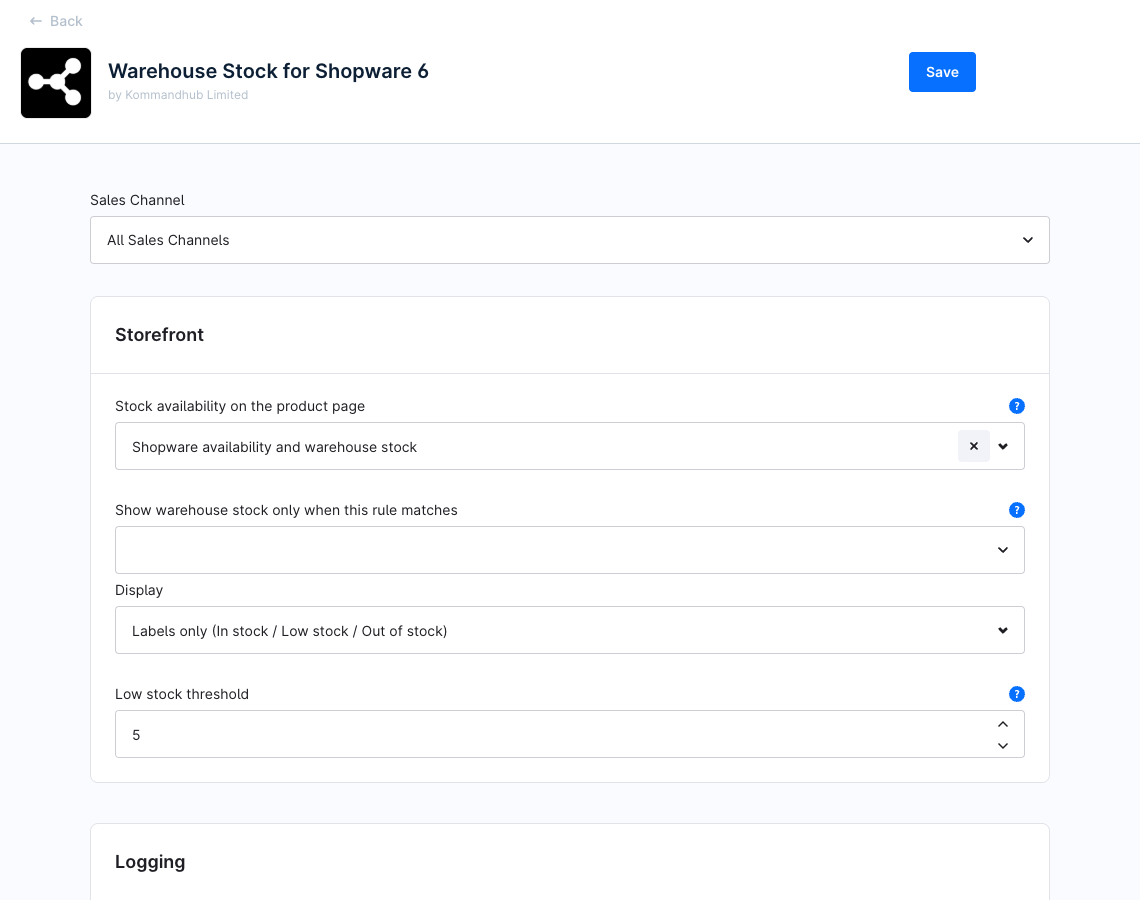
Use the Sales Channel selector at the top to set a value for one storefront only; untouched fields inherit All Sales Channels. Click Save when done. More about sales channels: Shopware: Sales channels.
Storefront
| Setting | Key | Type | Default | Description |
|---|---|---|---|---|
| Stock availability on the product page | KmhWarehouseStockSW.config.availabilityDisplay | Select | both | both — Shopware availability and warehouse stock: Shopware's availability and delivery time line, then the warehouse list. warehouse — Warehouse stock only: the warehouse list replaces Shopware's line, including the free shipping note. Where no warehouse list is shown, Shopware's line is shown instead. default — Shopware availability only: no warehouse list. |
| Show warehouse stock only when this rule matches | KmhWarehouseStockSW.config.visibilityRuleId | Rule | empty | A Rule Builder rule. The warehouse list is shown only to visitors the rule matches, for example a B2B customer group. Empty shows it to every visitor. |
| Display | KmhWarehouseStockSW.config.displayMode | Select | quantity | quantity — Exact quantities, e.g. 12 available. label — Labels only: In stock, Low stock or Out of stock. |
| Low stock threshold | KmhWarehouseStockSW.config.lowStockThreshold | Number (min 0) | 5 | In label mode, a warehouse with 1 up to this many units shows Low stock. 0 means never Low stock. Has no effect in quantity mode. |
What the list looks like: Storefront availability.
Logging
| Setting | Key | Type | Default | Description |
|---|---|---|---|---|
| Enable debug logging | KmhWarehouseStockSW.config.enableDebugging | Toggle | Off | Also write debug, info, notice and warning entries to var/log/kmh_warehouse_stock_<env>.log. Errors are always written. |
| Log levels | KmhWarehouseStockSW.config.logLevels | Multi-select | empty (all) | Restrict debug logging to these levels: Debug, Info, Notice, Warning. Empty logs every level once debug logging is on. |
TIP
In version 0.4.2 the plugin only writes error entries, and those are always logged. The two logging settings have no visible effect yet. See Troubleshooting → Logs.
Settings elsewhere
| What | Where |
|---|---|
| Warehouses: name, code, position, active | Settings → Warehouses — see Warehouses |
| Quantities per warehouse | Product → General → Warehouse stock — see Stock per product |
| Who may see and edit warehouses and stock | Settings → Users & permissions → Roles — see Installation → Permissions |
| Rules for Show warehouse stock only when this rule matches | Settings → Rule Builder |
| Delivery time and availability line | Product → Deliverability (core) |